Gymful Studio

One comment makes it clear.

The invitation is ready. A coach spots the missing date and asks what a newcomer should do next. See how those two questions shape the next version.

Club Noord.Club
open day.
24 May · 10am
Comment on version AWhat time can we drop in?Updated in version B
Proof with club feedback · example
FROM FEEDBACK TO A DECISION

See what changes.
Keep the original.

Fictional club · local example
Version A

Initial design

Saved
Come and meet usDate to follow
{{stage==='chosen'?'Version B':'Version A with feedback'}}

This needs attention

Selected example
Call to action

{{stage==='chosen'?'Book your taster class':'Make the next step clear'}}

Date and time

{{stage==='chosen'?'24 May · 10am':'Add a date and time'}}
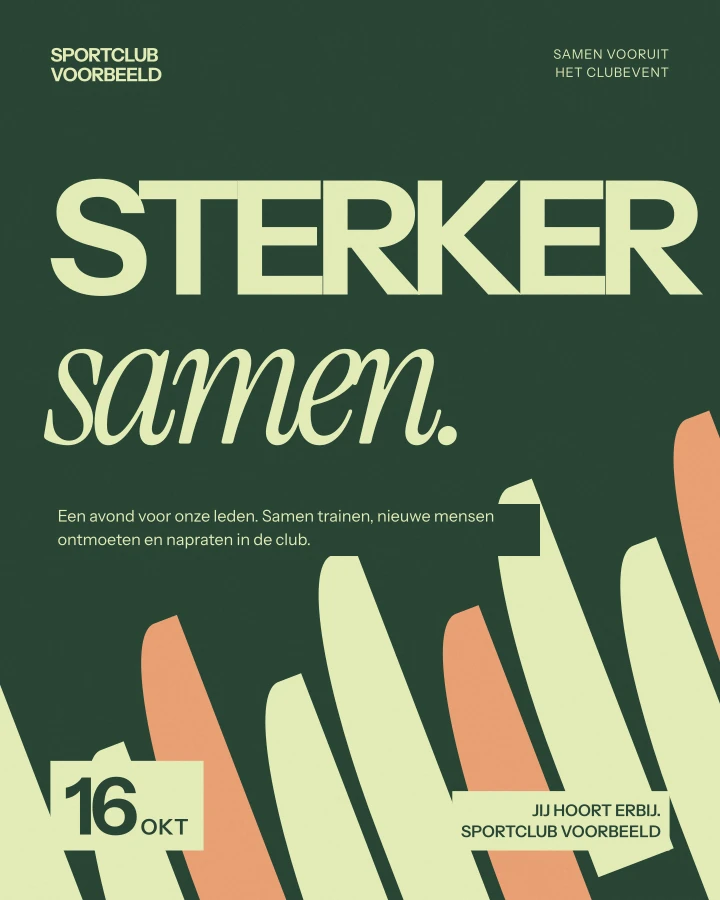
{{stage==='first'?'This is the starting point. This example keeps the first version exactly as it was.':stage==='feedback'?'The feedback is for version A. It changes only the call to action and the event details.':'Compare the two designs. The call to action and the event details have changed. The first version is still available.'}}

Try the design workspace
{{announcement}}

How it works

Make one clear decision at a time.

At each step, ask what the design needs to do for the reader.

Start with one message

Describe what you’re organising or want to say, who it’s for and what you’d like them to do next. Include the practical details that have to be right.

Choose a suitable design

See whether photography or typography best supports the message. Choose a format for the channel. A social feed, a full phone screen and a spot on the club wall each give you different space to work with.

Give specific feedback

Say what should change and why. “Make the date easier to spot” gives the designer more to work with than “make it stronger”. Keep what already works so the next version improves the right things.

Keep the conversation focused on the design.

A useful revision helps you choose a direction while keeping the original for comparison.

Compare versions

Save the design before trying another direction. You can then see how the headline, photo or invitation changed and decide which version best suits your club’s goal.

Approve the exact version you want

Check the copy and practical details on your chosen design. If the content changes afterwards, review the new version before using it.

Check each format

Reuse the same message where it makes sense, and review each format on its own. A long headline that fits a feed post may need more space in a narrow story.

Design, export and delivery each have their own step.

Approving a design doesn’t automatically place an order with an external supplier.

Digital export

The demo lets you download a PNG of the example you choose. The file is yours to use. The flyer uses A5 proportions. The demo does not provide a guaranteed print-ready PDF.

Publishing or printing

Agree the channel, file specifications, print run, schedule and any costs before booking the work. Running an ad or placing a print order requires separate approval.

How the public demo works.

Does this demo use live AI?

No. The demo uses preset design and feedback examples. You can change the text, format and a brand colour yourself. During an introduction, we’ll explore the product options available for your club.

Will my work be saved?

The example workspace keeps your choices in the same browser tab for as long as the session lasts. It doesn’t create a shared account. Starting over clears the local demo session.

What would this look like for your club?

Bring a piece of your own work. Explore how to bring your images, text and club style together with Gymful.

Discuss your design